Press
Press kit
Everything you need to write about MoneyPulse: the key facts, descriptions you can copy, and images.
MoneyPulse press kit
App icon and App Store screenshots · ZIP, 14 MB
At a glance
| Name | MoneyPulse |
|---|---|
| What it is | A private budget and expense tracker for iPhone |
| Made by | Hardik Patel, in Nova Scotia, Canada |
| Platform | iPhone, iOS 17 or later |
| Languages | English and French |
| Price | Free to download, with every Pro feature free for 90 days. After that, MoneyPulse Pro is US$4.99 a month or US$29.99 a year. |
| Availability | Coming soon to the App Store |
| Website | moneypulse.ca |
| Social | Instagram (@moneypulse_app) · Facebook |
| Contact | moneypulse.support@gmail.com |
About MoneyPulse
Short version. MoneyPulse is a private budget and expense tracker for iPhone. It turns the bank statements and receipts you already have into a clear picture of your spending, without ever asking for your bank login, and keeps your data on your phone.
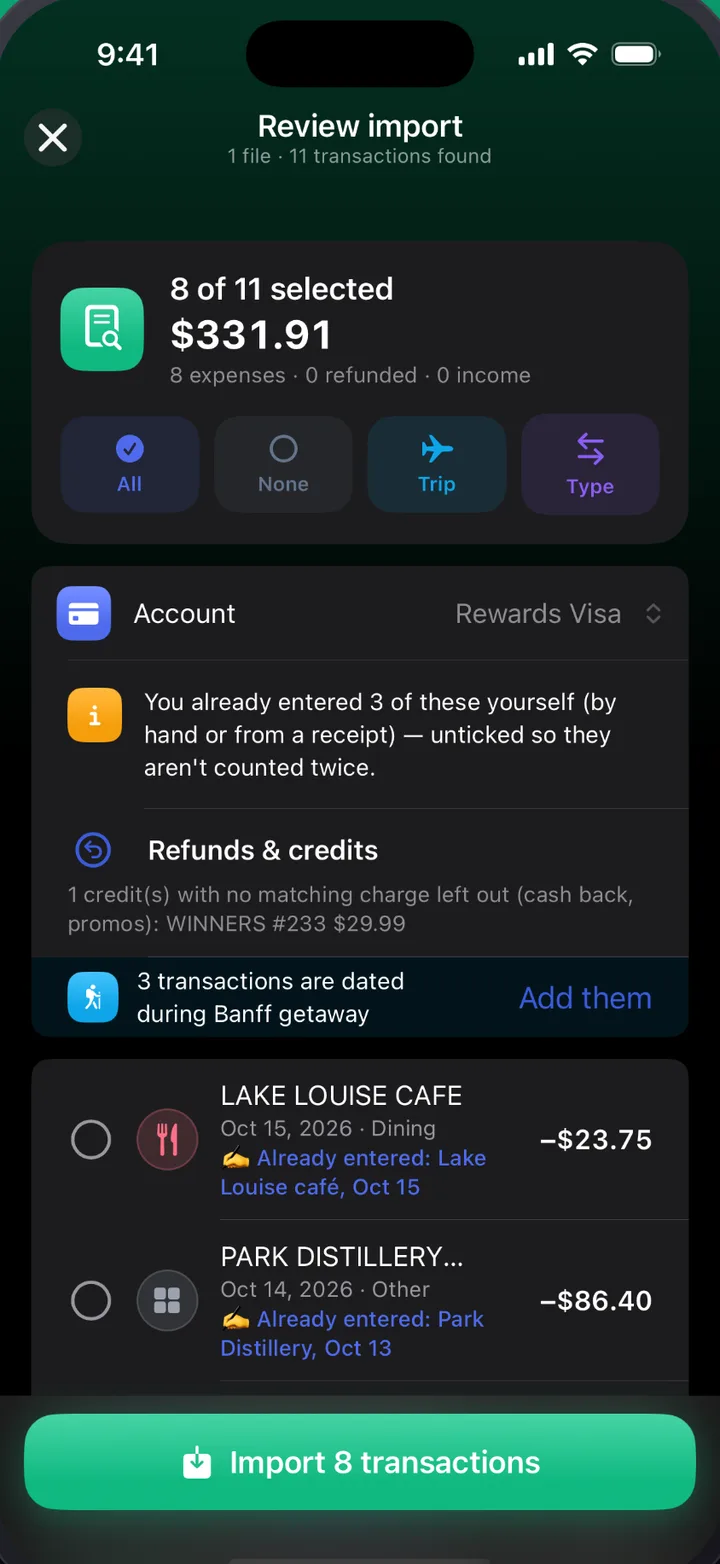
Longer version. Most budgeting apps start by asking for your online banking password. MoneyPulse doesn’t. You import the PDF, photo or CSV statements your bank already gives you, and MoneyPulse reads them on your iPhone and sorts every purchase into a category.
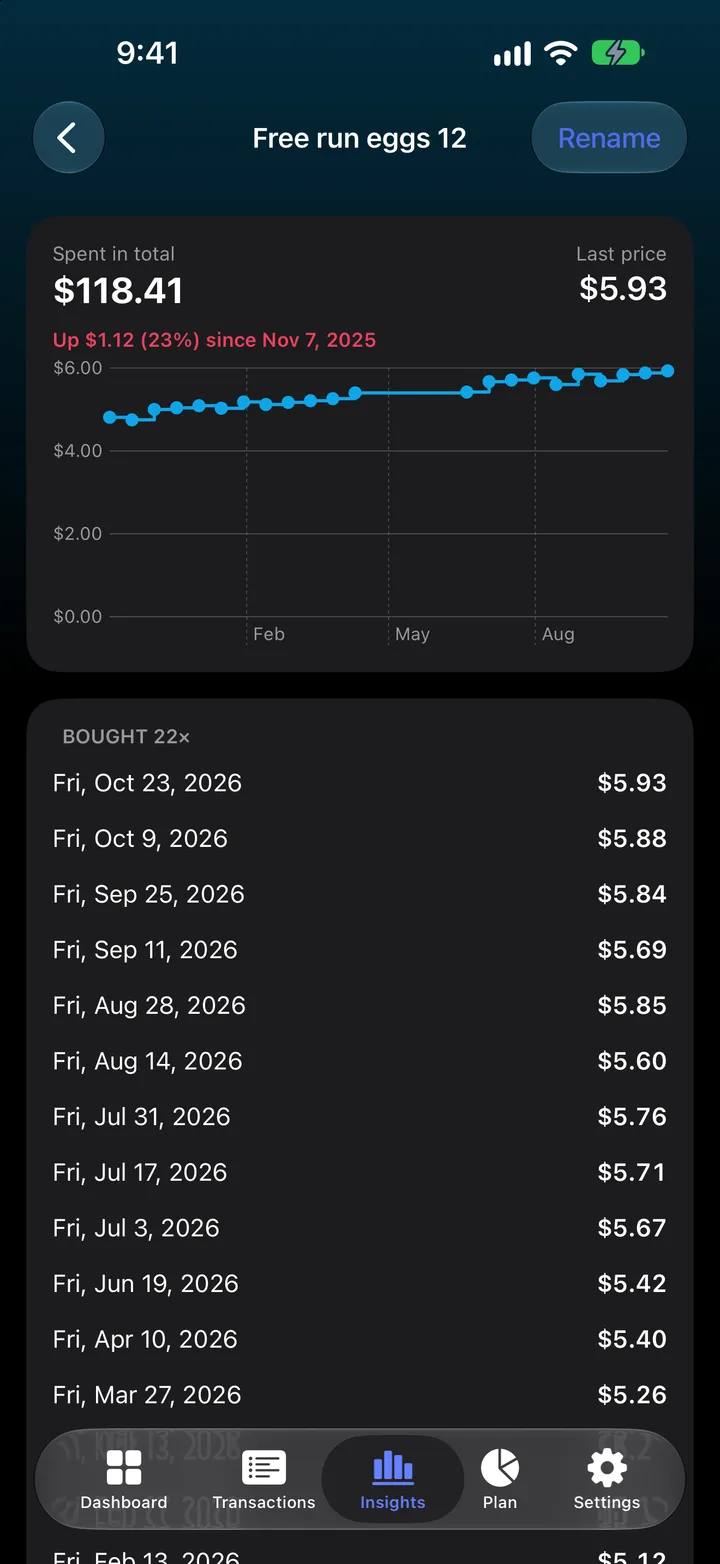
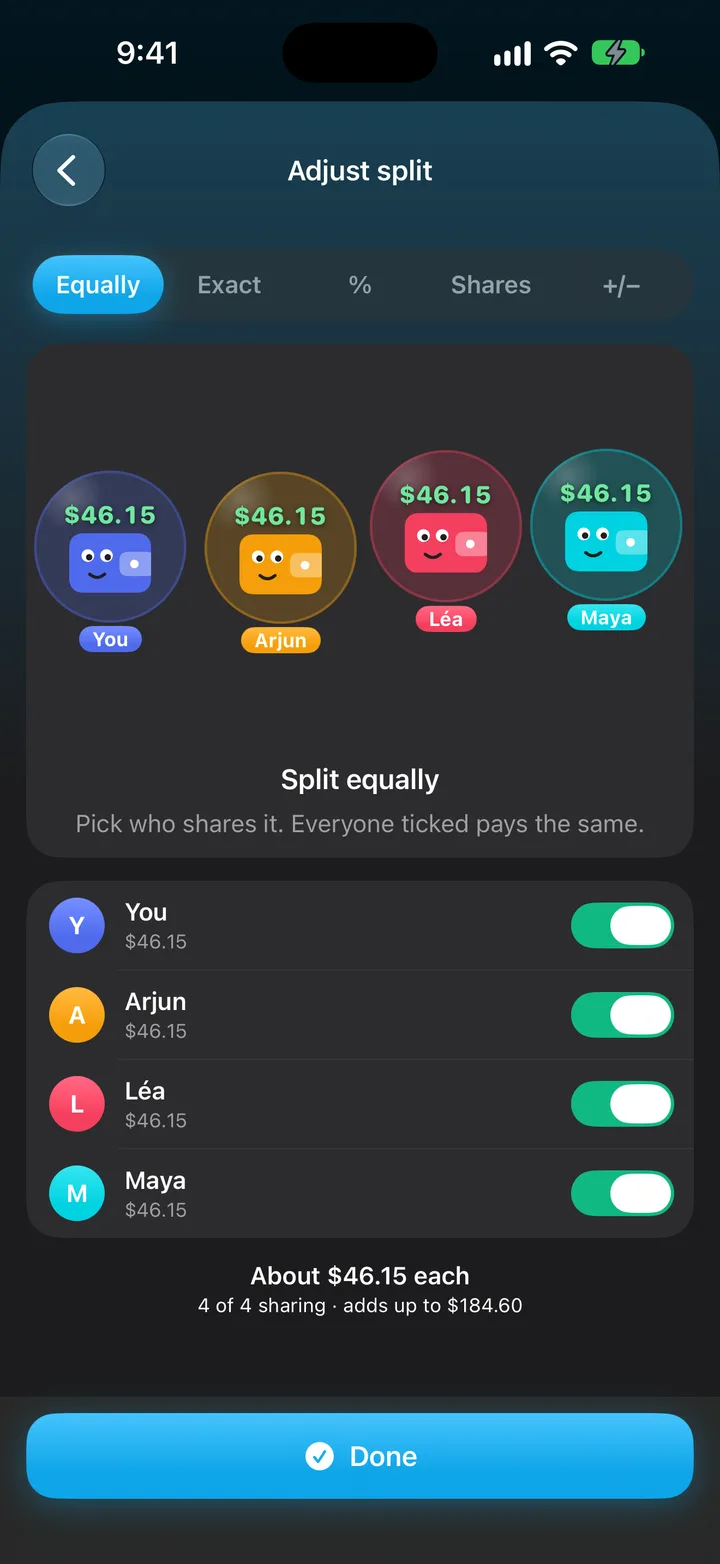
Scan a grocery receipt and every item gets its own price history, so you can see exactly when eggs went up. Log a fill-up and MoneyPulse shows which gas station is cheapest. Set budgets and savings goals, keep bills on a calendar, and split trip costs with friends, who join with a code.
Your transactions stay on your iPhone, locked with Face ID if you like, and backups go where you choose. There are no ads. MoneyPulse is free to download, with every Pro feature free for 90 days. It’s made in Nova Scotia, Canada, in English and French.
Features
- Statement import from PDF, photo or CSV, read on the iPhone, with refunds and duplicates handled
- Receipt scanning that gives every item its own price history
- Gas prices by station, per litre
- Budgets, savings goals and a calendar of bills and subscriptions
- Trips with friends: split costs, see who owes who and settle up
- Voice entry and smart rules that sort transactions automatically
- Face ID lock, a Home Screen widget, and backups to iCloud Drive or Files
- No bank login, no account needed, no ads
Images
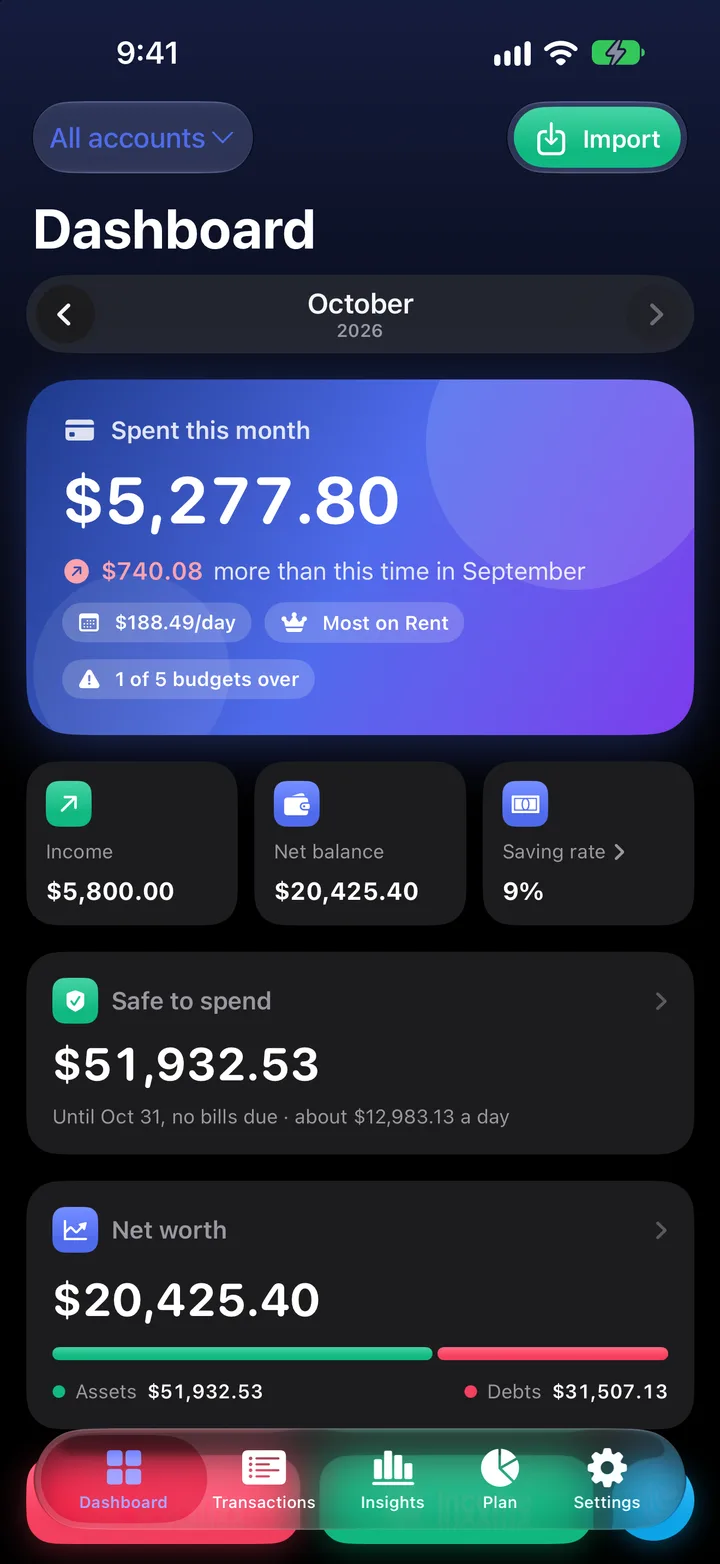
The press kit above has the app icon (1024 × 1024) and the nine App Store screenshots (1320 × 2868), all PNG. You’re welcome to use them in articles and reviews about MoneyPulse. The screens show demo data, not a real person’s finances.
Contact
For interviews or questions, email moneypulse.support@gmail.com.